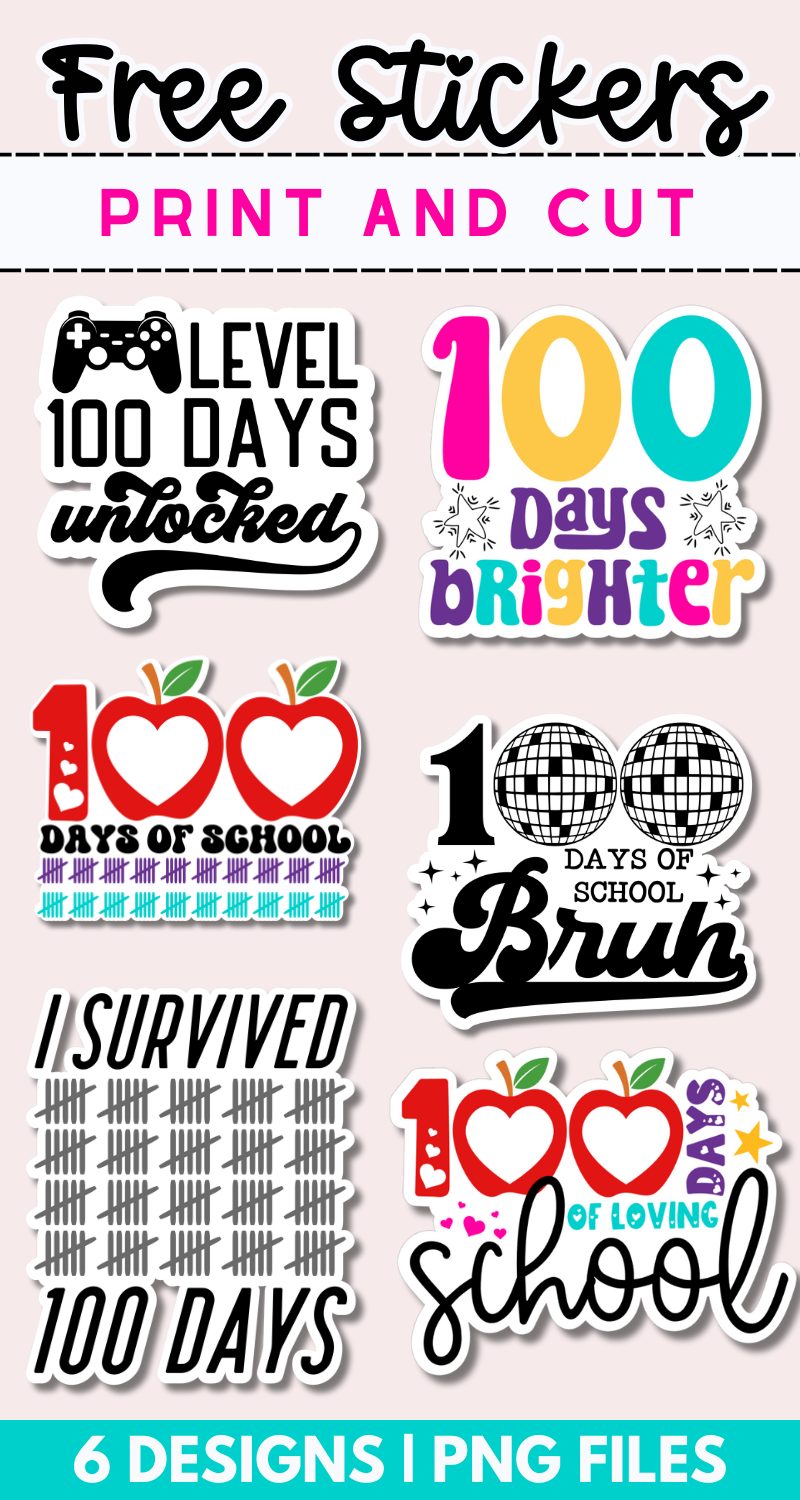
Free Print and Cut 100 Days of School Stickers
We’re celebrating 100 days of school and what better way to do that than with some 100 Days of School Stickers. In this free download you’ll receive 6 pages of school-themed stickers, with 6 different designs.
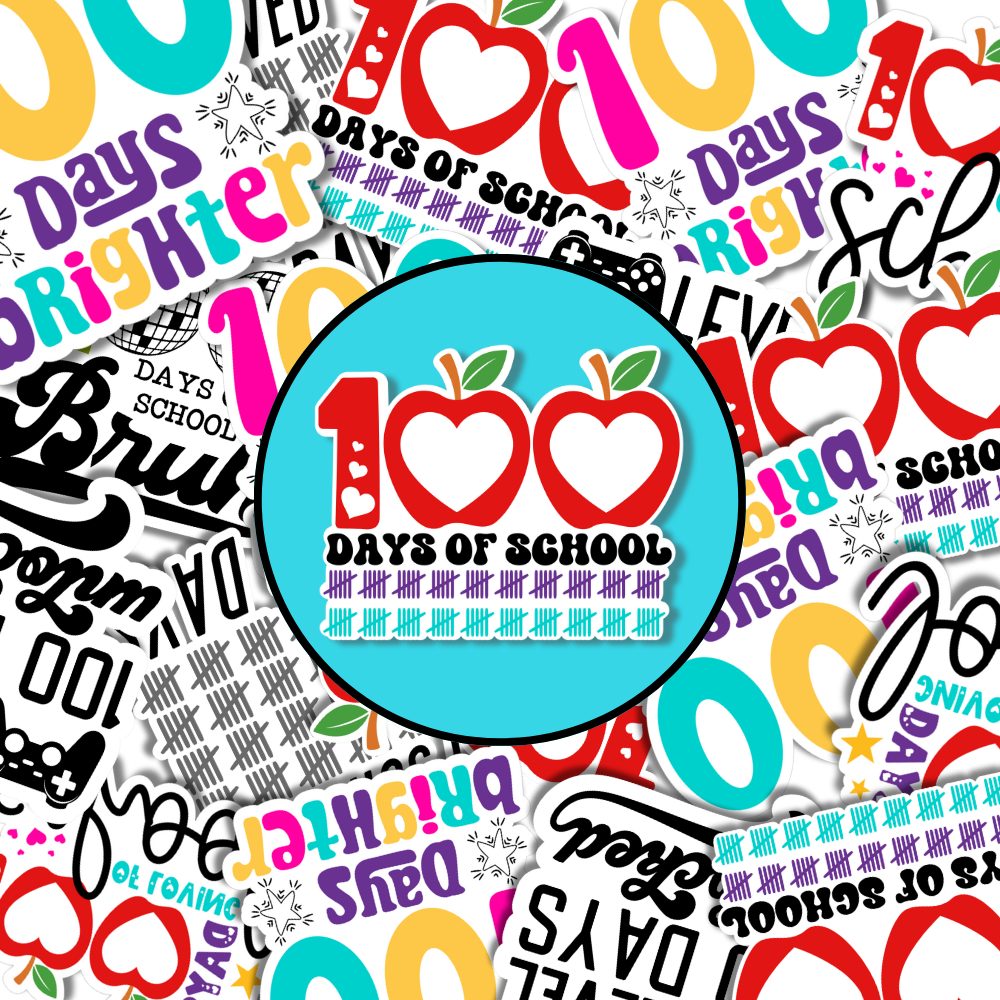
100 Days of School Stickers for Your Silhouette Cameo
I’ve been a Silhouette user for almost 14 years. While I’m no expert, I’ve taken the time to learn the Silhouette Studio software. Although I rarely share stickers, it’s one of my favorite things to make.
And not just using the print and cut feature but actually designing stickers from scratch right in Silhouette Studio.
RELATED: You can get these same 100 Days of School designs in SVG format. Check them out HERE and make shirts til your heart’s content.
I’m working on putting together a full tutorial on how to do that because there was definitely a lot of trial and error with the process but I believe I’ve finally mastered it.
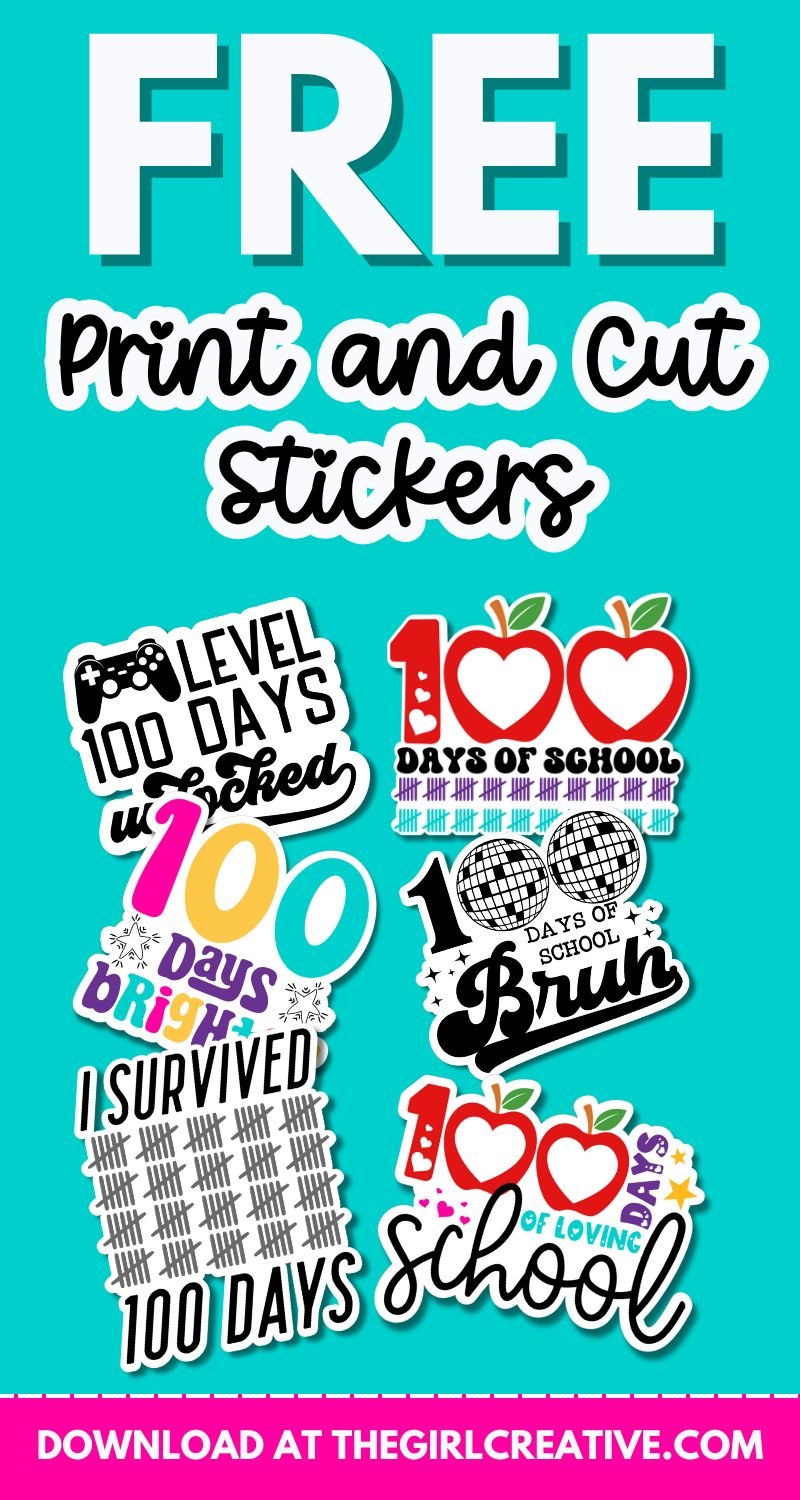
How To Use the Print and Cut Feature in Silhouette Studio to Print Stickers with Kiss Cut Settings
If you’ve never used the print and cut feature in Silhouette Studio, follows these easy instructions below.
If you’re already a pro, click HERE to head to the DOWNLOAD BUTTON for these 100 Days of School stickers.
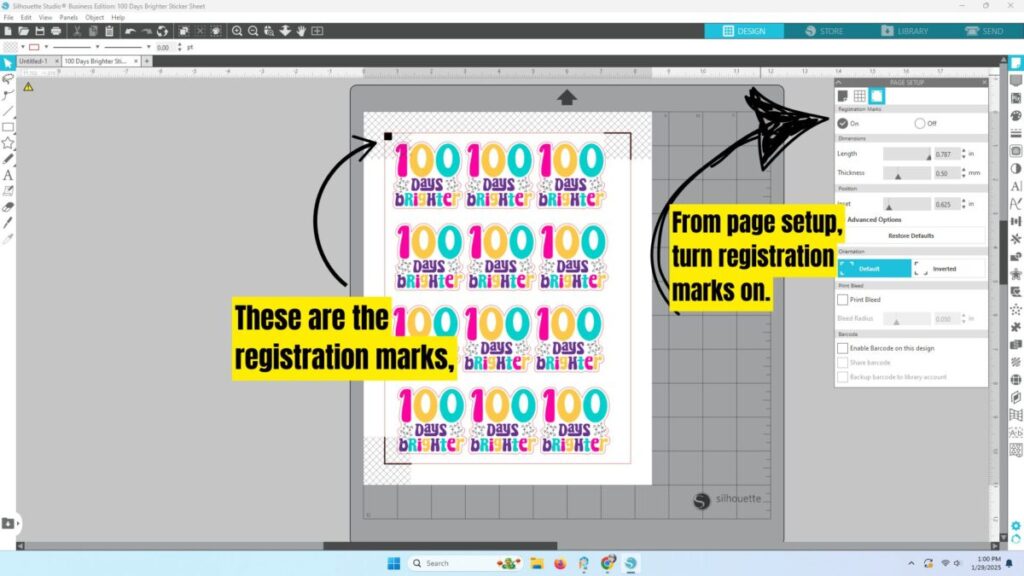
Step One: After you download your files open up the sticker page of choice in Silhouette Studio. Your page settings should be 8.5 x 11
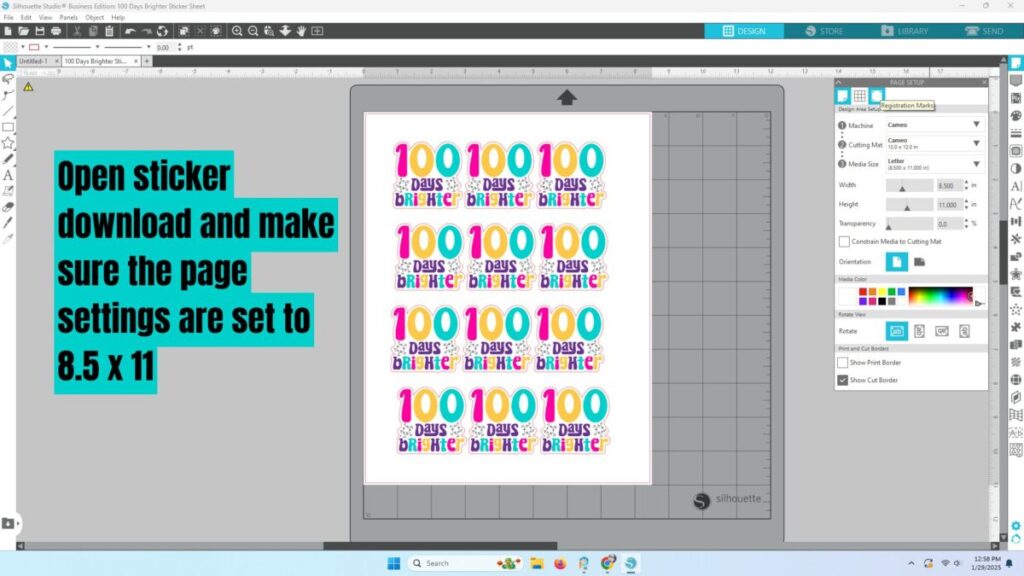
Also in page set up, make sure you turn your registration marks on.
Step 2: Send to printer.
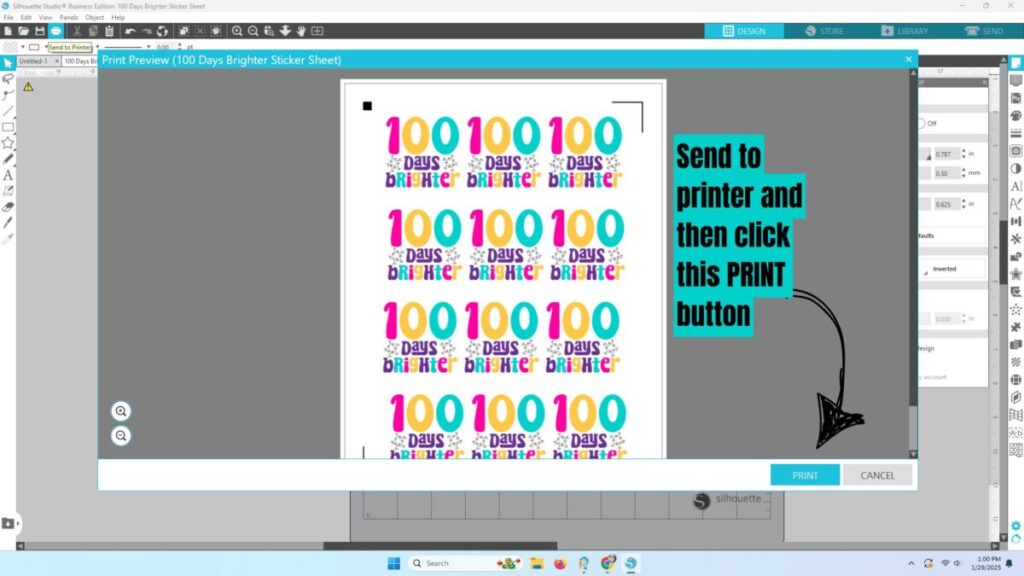
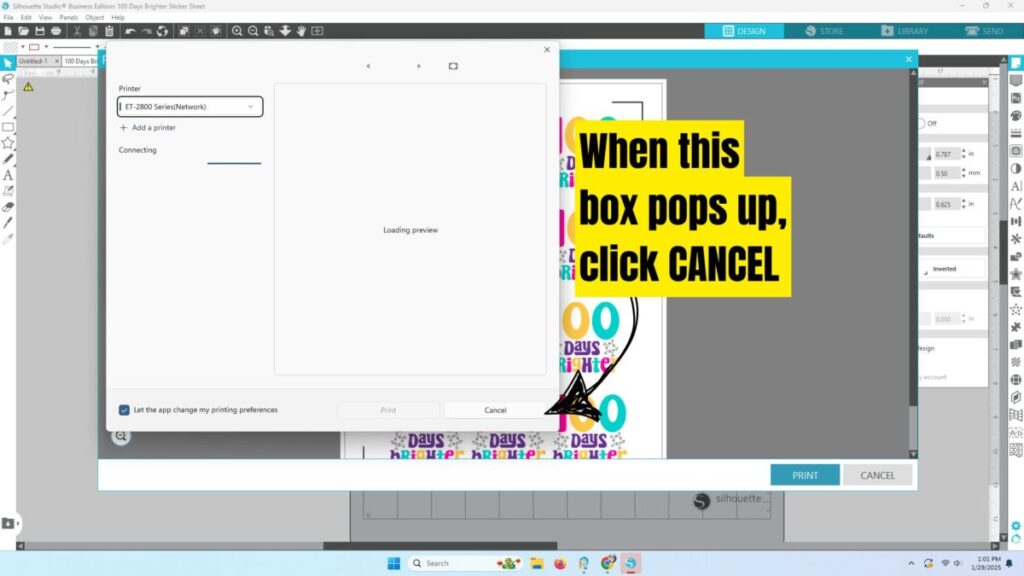
IMPORTANT: This next part might not make sense and it took me a lot of trial and error to figure this out but you want to click the “CANCEL” button.
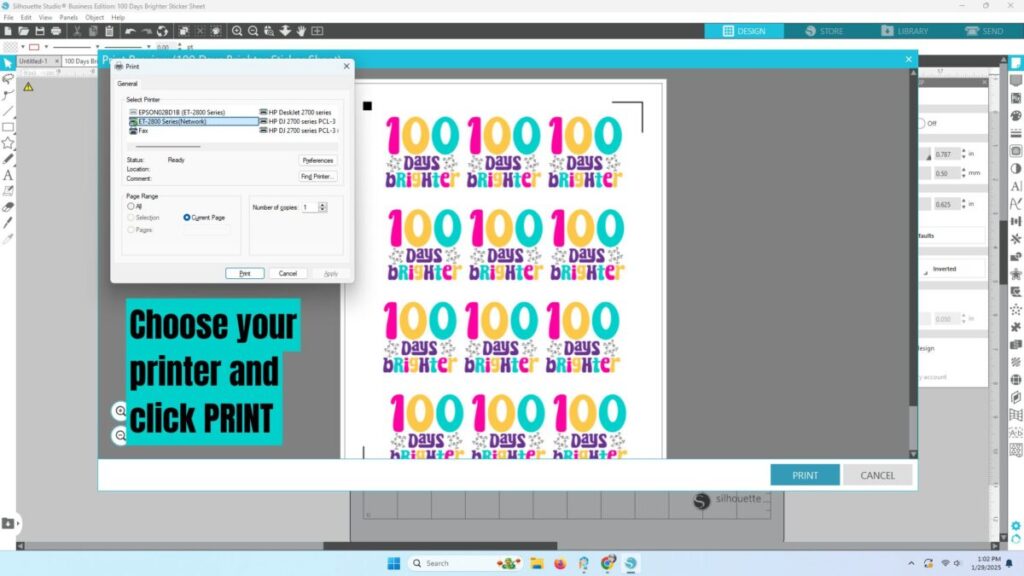
This printer popup should appear and you can choose your printer and click PRINT again.
Step 3: Load your print out to your Silhouette Cameo for cutting and go to the SEND menu in Silhouette Studio where you will choose your materials and adjust your cutting settings.
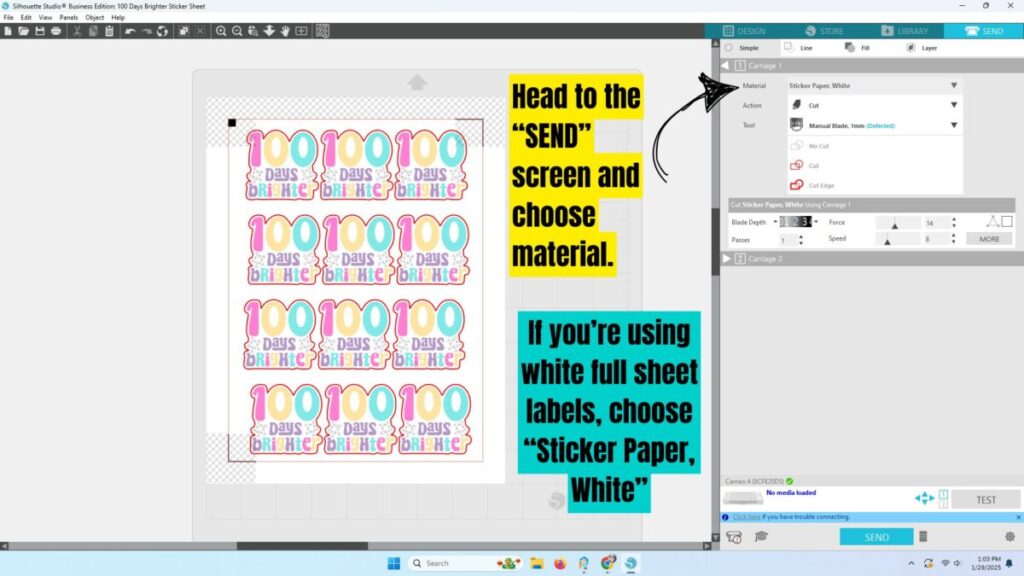
I recommend using these full sheet labels with a solid back.
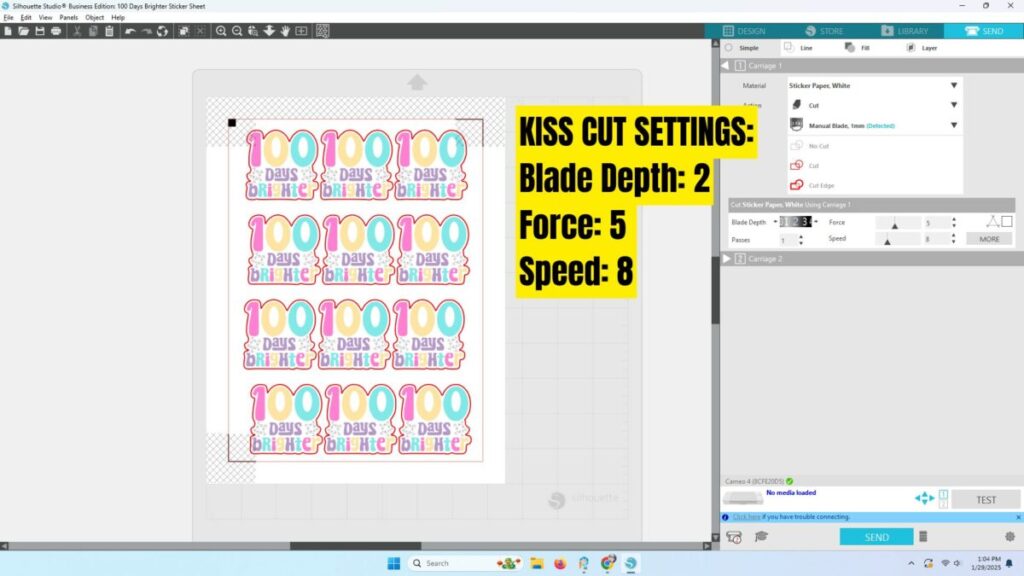
I love the Kiss Cut settings which leaves the stickers on the entire sheet without cutting through the backing. You can peel and use the ones you want and save the rest in a file folder for future use.
Kiss Cut Settings for Silhouette Studio
These setting will work when you choose “Sticker Paper, White” from the materials drop down.
Blade Depth: 2, Force: 5, Speed: 8
Important File Information, Download Instructions and Terms of Use
This 100 Days of School STICKER bundle download comes with 6 transparent PNGs that include a full sheet of each design – perfect for printing.
The PNGs are 300 dpi which is perfect for printing.
Your files will be in a zipped folder that you’ll need to extract. It is strongly recommended that you download your files from a laptop or desktop computer.
This free download comes with a personal use license. You can not sell, share or redistribute these files in digital or any other format. You may not sell finished products made with these designs.
How to Download these Free Print and Cut 100 Days of School Stickers
Simply click this button below and it will take you to our shop. From there, your downloads will begin in one easy click.
For DOWNLOAD help, please visit this help page.